Project Motor Racing (Console)
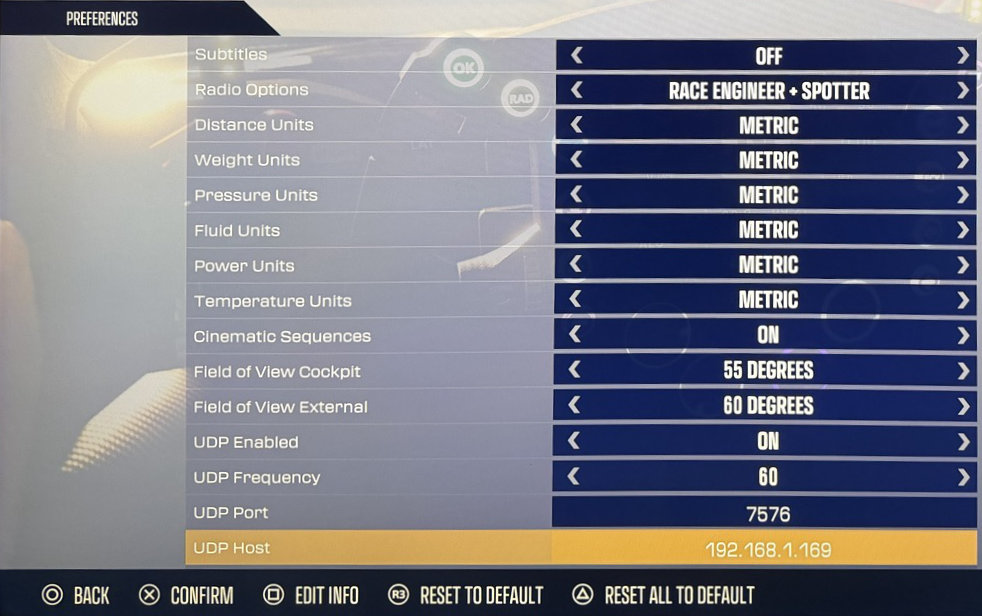
Enable UDP Telemetry in Preferences:
Start Project Motor Racing
Enter Settings
Enter Preferences
Set UDP Enabled to On
Set UDP Frequency to
60(default)Set UDP Port to
7576(default, unless otherwise configured in Simrig Control Center)Set UDP Host to your PC’s IP address, for example
192.168.2.111Manually choose Project Motor Racing as the telemetry source in SIMRIG Control Center (see Telemetry source selection)
Done