Project Motor Racing (Console)
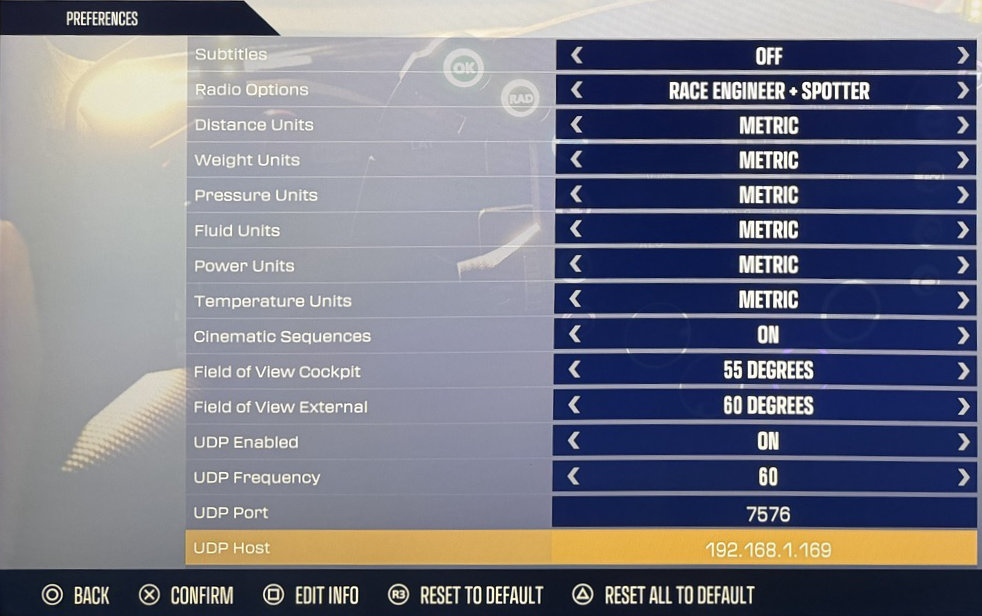
Schakel UDP Telemetry in bij Preferences:
Start Project Motor Racing
Ga naar Settings
Ga naar Preferences
Zet UDP Enabled op On
Zet UDP Frequency op
60(standaard)Zet UDP Port op
7576(standaard, tenzij anders geconfigureerd in Simrig Control Center)Zet UDP Host op your PC’s IP address, bijvoorbeeld
192.168.2.111Kies handmatig Project Motor Racing als telemetry source in SIMRIG Control Center (zie Selectie van telemetriebron)
Klaar