Forza Motorsport 7 (Console)
Enable UDP telemetry from HUD OPTIONS:
Start Forza Motorsport 7
Enter OPTIONS from the pause menu
Enter HUD
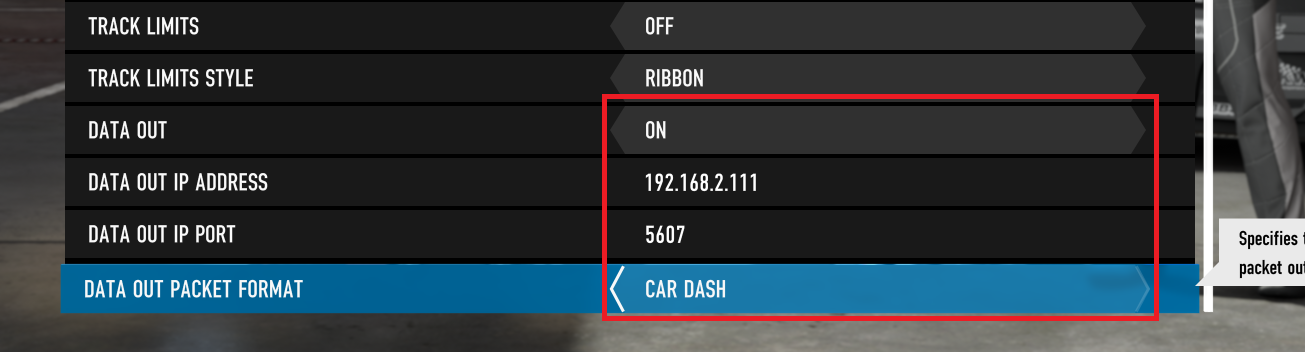
Scroll to the bottom and enable DATA OUT
Enter your PC’s IP address, for example
192.168.2.111Enter the port number
5607Set DATA OUT PACKET FORMAT to
CAR DASHManually choose Forza Motorsport 7 (Console) as the telemetry source in SIMRIG Control Center (see Telemetry source selection)
Done