Project CARS 2 (Console)
Enable UDP in the SYSTEM options:
Start Project CARS 2
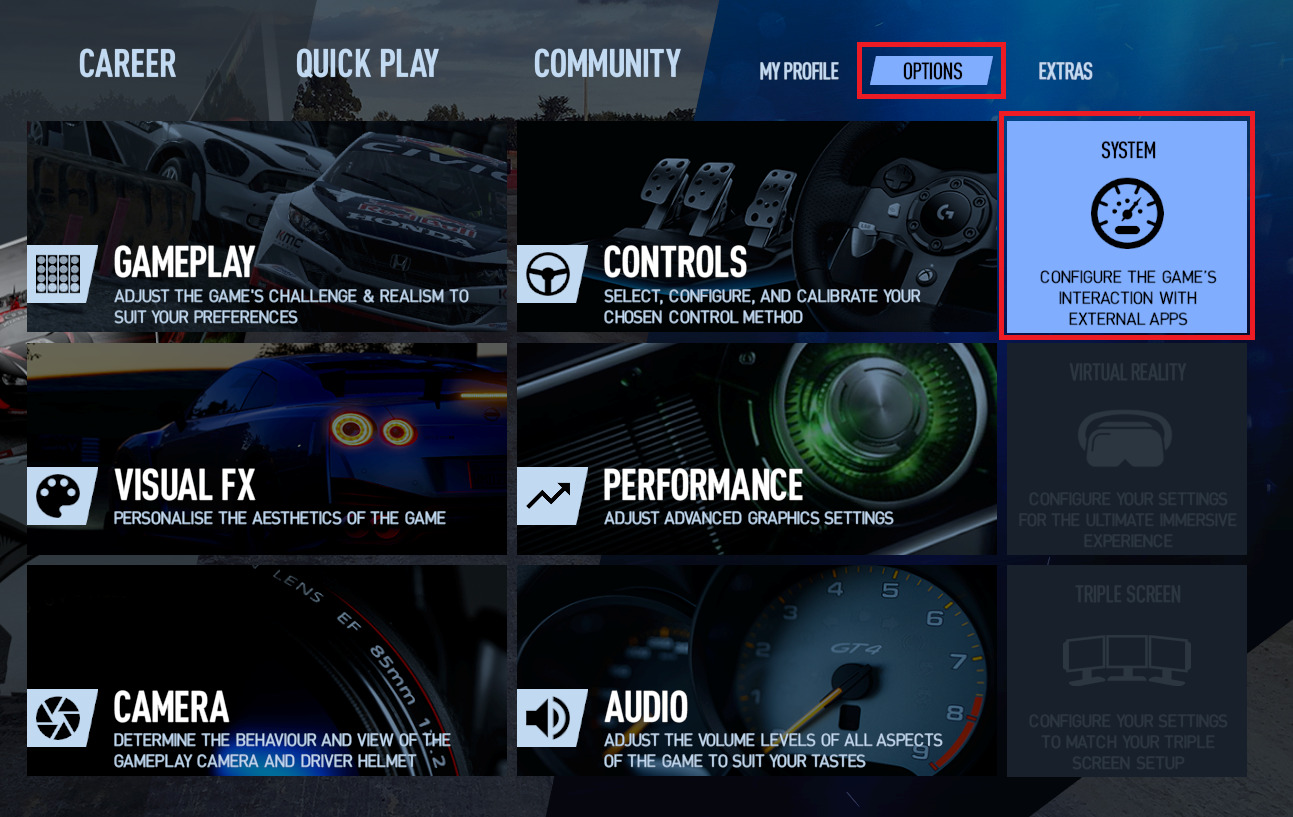
From the main screen go to Options
Click SYSTEM in the top-right corner
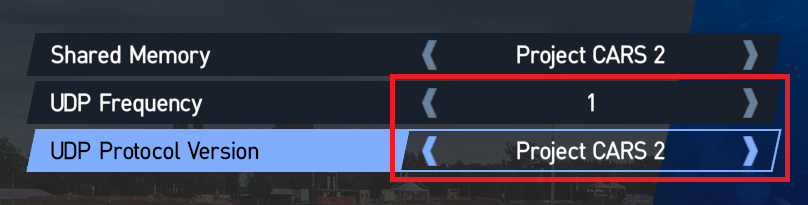
Set UDP Frequency to 1
Set UDP Protocol Version to Project CARS 2
Manually choose Project CARS 2 (Console) as the telemetry source in SIMRIG Control Center (see Telemetry source selection)
Done