Forza Horizon 6 (PC)
Switch to Console instructions
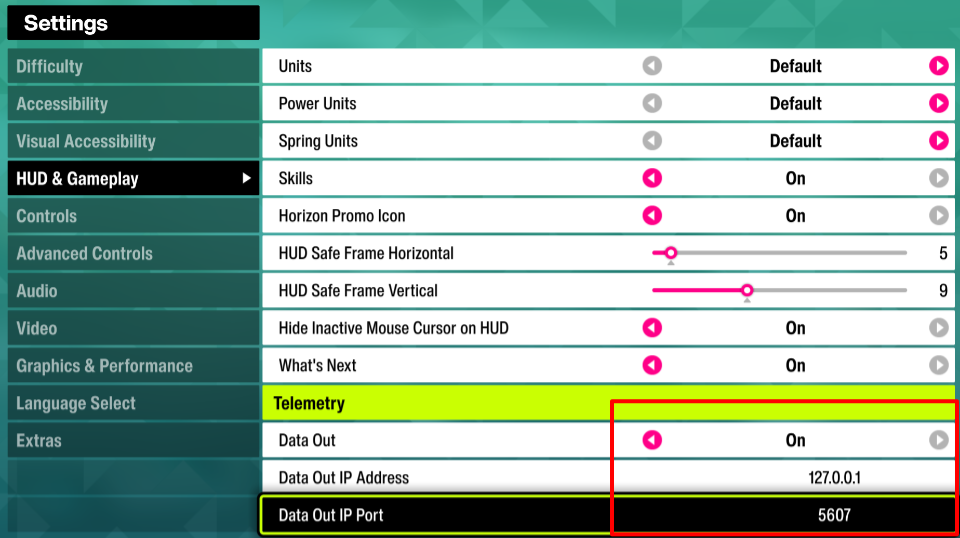
Enable Data Out from HUD & Gameplay:
Start Forza Horizon 6
Enter Settings from the main menu
Goto HUD & Gameplay settings
Scroll to the bottom and enable Data Out
Enter
127.0.0.1as Data Out IP AddressEnter the number
5607as Data Out IP PortSave settings
Manually choose Forza Horizon 6 as the telemetry source in SIMRIG Control Center (see Telemetry source selection)
Done