SIMRIG SR1 & SR2 & SR3
SIMRIG SBM
SIMRIG Control Center
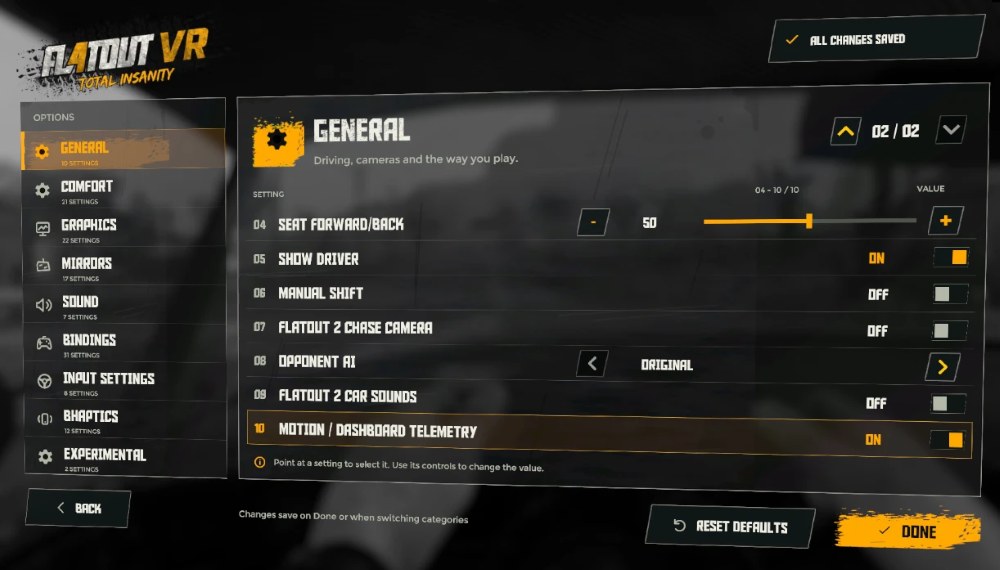
Enable telemetry in the GENERAL options:
Start FlatOut 4: Total Insanity VR
Go to Options > General
Set Motion / Dashboard Telemetry to On
Done