
Live for Speed
Tips
Dessa steg verifieras och utförs automatiskt av SIMRIG Control Center. Starta spelet och följ de uppmaningar som utfärdas av SIMRIG Control Center. Eller använd auto-konfigureringsverktyget på inställningssidan.
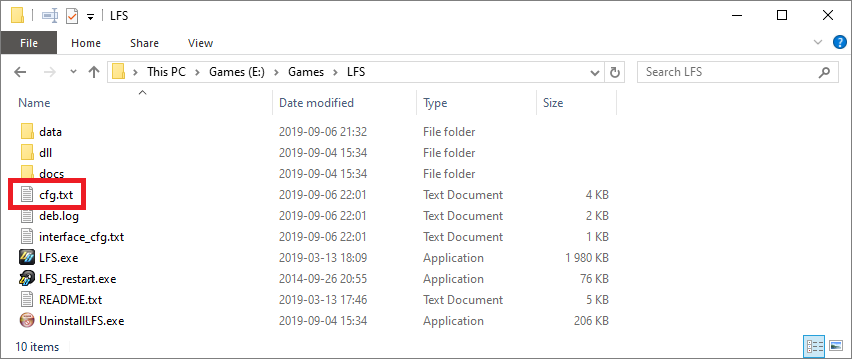
Redigera cfg.txt för att aktivera telemetri:
Stäng Live for Speed
Navigera till din LFS installationsmapp (standard är
C:\LFS)Öppna
cfg.txtmed Notepad
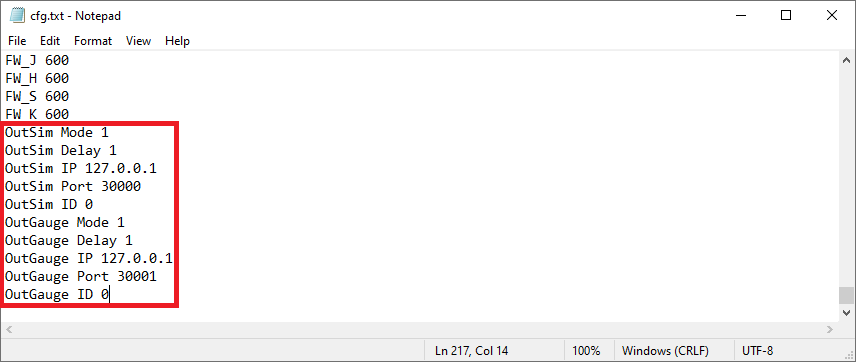
Lägg till detta längst ner i filen:
OutSim Mode 1
OutSim Delay 1
OutSim IP 127.0.0.1
OutSim Port 30000
OutSim ID 0
OutGauge Mode 1
OutGauge Delay 1
OutGauge IP 127.0.0.1
OutGauge Port 30001
OutGauge ID 0
Spara filen
Klart